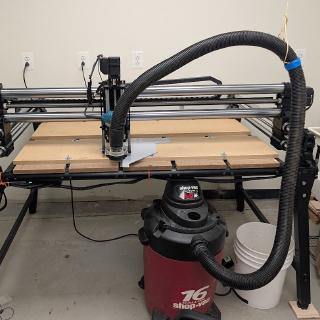
Our robotics team, FRC 8592, was very generously gifted a Onefinity Gen 1 Elite Journeyman CNC router. We route a large number of parts for our robot, although being located at Nova Labs means we are spoiled for choices on how to make them. But having our own, dedicated router opens up some possibilities for what we can do around tooling, fixturing, and most importantly, how we are able to educate the students on CNC operations.
Of course, there was setup to do. Beyond the initial assembly (which was easy), the list of things to do has included:
- Lubricate bearings
- Figure out and set up workholding
- Figure out postprocessing
- Check backlash
- Check for square
- Make a polycarbonate CAM template
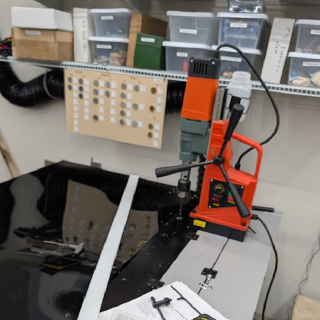
- Make an aluminum CAM template
- Purchase cutting bits
- Route/extend the vacuum hose
- Route and hook up auxiliary air
- Run the router power cable through the cable chain
- Figure out Wi-Fi (research what Wi-Fi on the Masso controller enables)
- Upgrade the firmware
There's more, of course, but with the help of the other Mechanical coaches, we've already gotten it to the point where we can use it to make polycarbonate parts. Aluminum is our other major material, and will require a bit more setup.
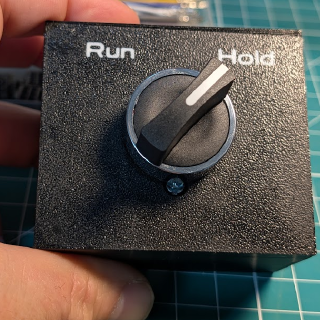
Safety is an ongoing item. An e-stop on this machine kills power to the steppers, so it loses its position and has to be re-homed. To avoid that, I'm adding a run/hold switch wired to a Masso input configured as a door sensor: flipped to hold, the controller stops motion and the spindle so hands can safely go in the working envelope, and flipping back to run re-arms it. The 3D printed housing for the switch is done; wiring it up and configuring the controller are next.
I have to say, I really like the Masso G3 touchscreen controller. Not only is it nice to not have to run a laptop, but I find the user interface intuitive, full-featured, and easy to use.


And the machine pocketing the spoilboard: